Become known in your niche, one reply at a time.
You already know your niche. ReplyWisely scores every tweet in your feed for visibility potential and glows your niche keywords, so the replies you write land where people who matter will actually see them. Soon: one-click reply drafting in your voice.
Get ReplyWisely →See the difference.
Visibility Potential Score
Color-coded corner triangles tell you at a glance which tweets are worth replying to. Green = high potential, gray = skip.
Before

After

Keyword Highlighting
Your niche keywords glow in the feed so the right conversations stop catching you off guard.
Before

After

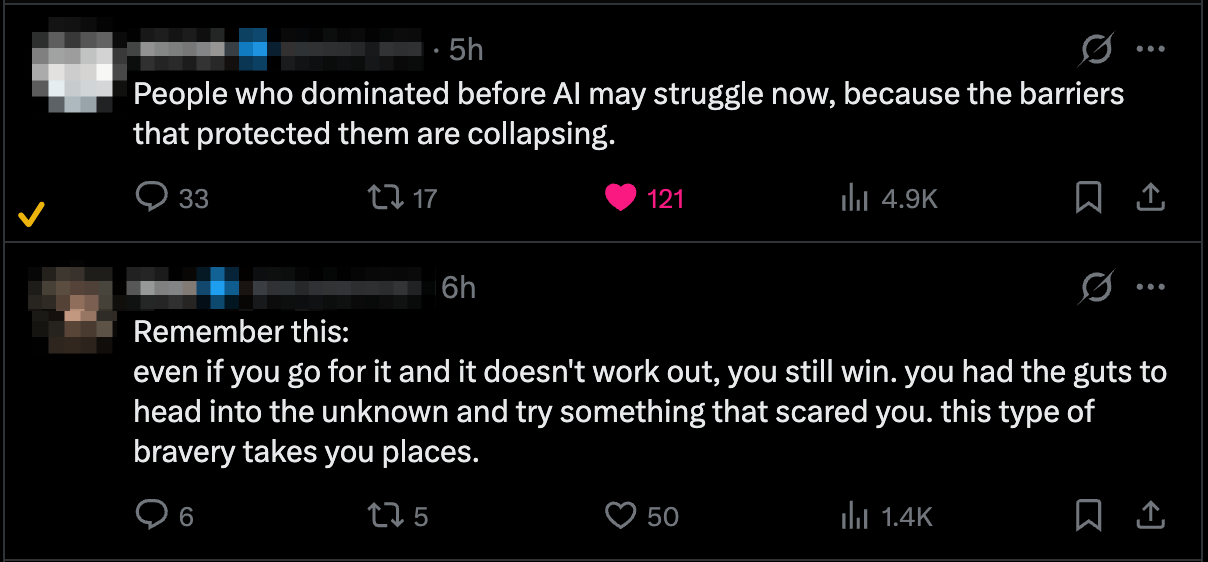
Reply Tracking
A checkmark appears next to every tweet you've already replied to — never repeat yourself or lose track.
Before
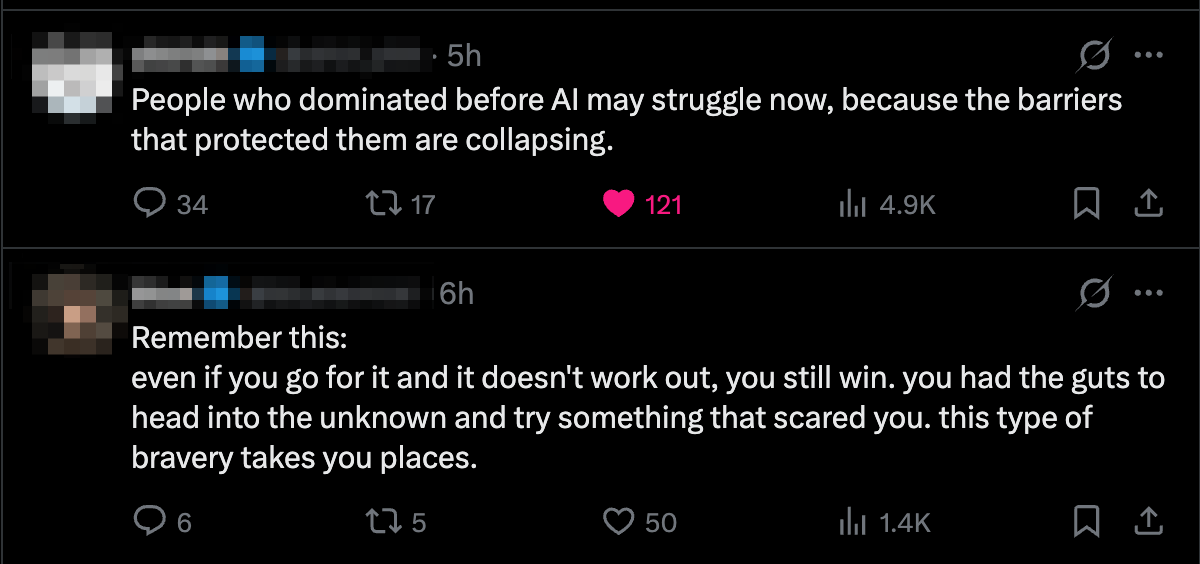
After
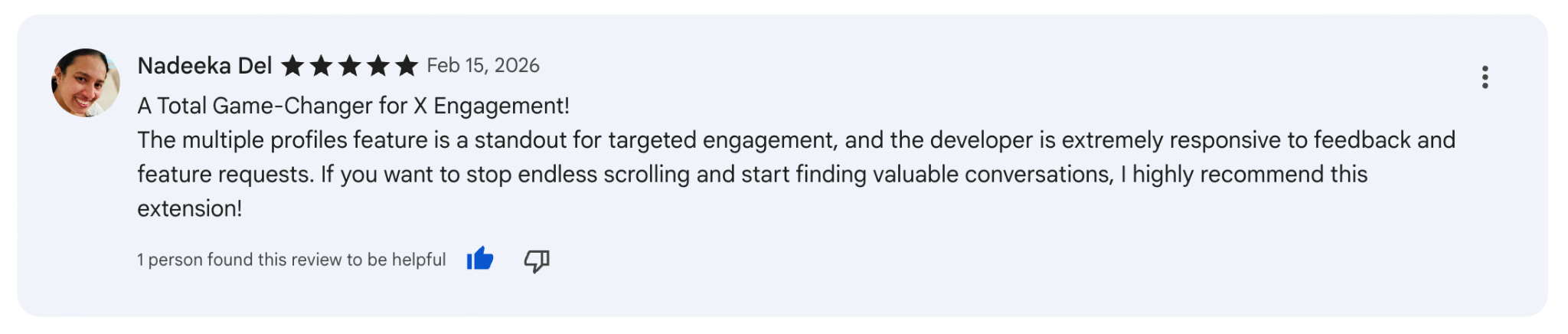
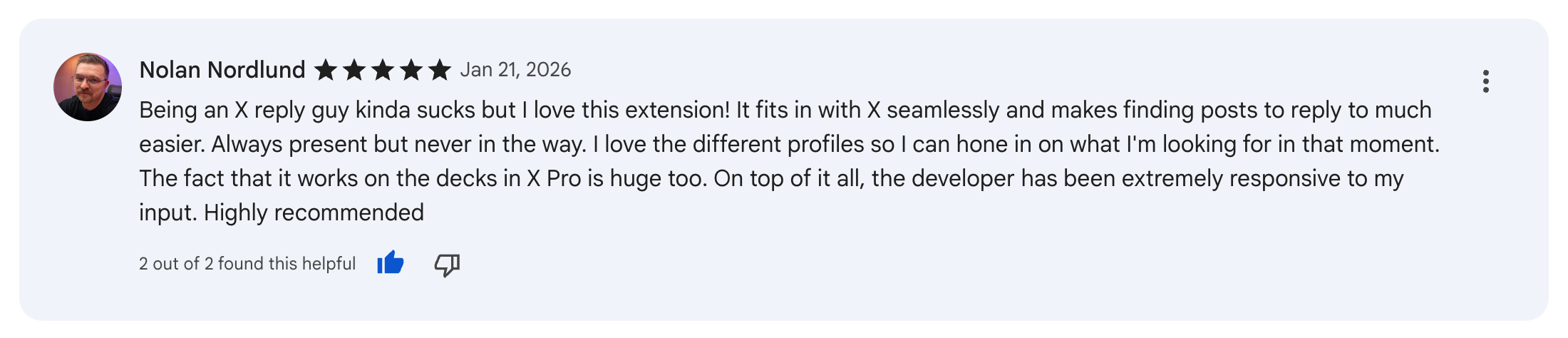
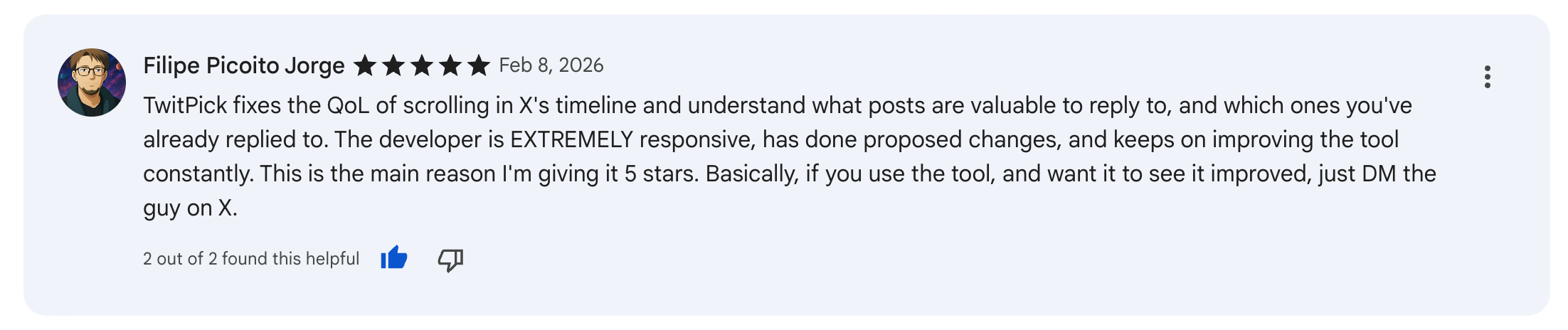
Loved by X power users

Everything you get with ReplyWisely
One plan. Every tool below is included, today and when reply drafting ships.
Visibility Potential Score engine
Scores every tweet in your feed so you reply where it will actually be seen. Nothing else on X does this.
Niche Keyword Radar
Your niche keywords glow in the feed so the right conversations stop slipping past you.
Reply Tracker + Growth Dashboard
A checkmark on every reply you have made, plus a dashboard that shows what is working.
Reply Performance Review
Automatic post-reply engagement tracking. Proof your strategy is compounding, not guesswork.
6 done-for-you Niche Profiles
Pre-built keyword sets for founders, AI/ML, VC, creators, developers and product. Start in 60 seconds.
One-Click Reply Drafting in your voicesoon
One click drafts a reply that sounds like you, trained on your own X analytics. Ships late May 2026.
Remixsoon
Turn bookmarked tweets into fresh posts in your voice. Ships with reply drafting.
Total value
$145/mo
Your founding price today: $9.99/mo.
Lock in the founding price before reply drafting ships
ReplyWisely Pro opens at $29/mo when one-click reply drafting launches in late May 2026. Subscribe today and stay at $9.99/mo forever.
7-day free trial — credit card required, $0 today. Cancel anytime before day 7.
Founding price vs Pro
One-click reply drafting launches in late May 2026. When it does, ReplyWisely Pro opens at $29/mo. Subscribe before launch and your price never moves again.
Founding Member
$9.99/mo
or $69/year
- ✓ Everything in ReplyWisely
- ✓ Reply drafting + Remix when they ship
- ✓ Price locked at $9.99/mo forever
ReplyWisely Pro
$29/mo
opens late May 2026
- ✓ Everything in ReplyWisely
- ✓ Reply drafting + Remix included
- ✓ Standard rate, billed monthly
The 50% Visibility Guarantee
Use ReplyWisely for 30 days and make at least 100 replies through it. If your replies to high-VPS (green) tweets do not average at least 50% more engagement (likes, comments and reposts) than your replies to low-VPS tweets, email me and I refund every cent. ReplyWisely's Performance Review measures this for you.
VPS scoring runs locally in your browser, so your timeline is never uploaded. The replies you make sync to your account so your dashboard and Performance Review work, and one click deletes them.
Frequently Asked Questions
Can I try it before paying?
Yes. Pick monthly or annual, enter a card, and you get 7 days free. No charge until day 7 — cancel anytime before then and you're not charged.
When does reply drafting launch?
Late May 2026. Drafts are powered by Anthropic's Claude and grounded in your own X analytics so they sound like you, not a generic bot. Subscribe before launch and stay at $9.99/mo forever. Pro pricing opens at $29/mo at launch.
How does the 50% Visibility Guarantee work?
Use ReplyWisely for 30 days and make at least 100 replies through it. If your replies to high-VPS (green) tweets do not average at least 50% more engagement (likes, comments and reposts) than your replies to low-VPS tweets, email me and I refund every cent. ReplyWisely's Performance Review measures it for you, so there is nothing to track by hand.
What about TwitMix?
TwitMix is becoming part of ReplyWisely. Existing TwitMix subscribers keep access at no extra cost — your reply drafting and remix features carry over.
What happens when I run out of free replies?
A plan-selection panel slides in. Pick monthly or annual via Stripe Checkout, and the extension activates instantly. No surprise charges, cancel anytime.
Does ReplyWisely work on X.com and twitter.com?
Yes, both — plus pro.x.com (TweetDeck).
Is my data private?
VPS scoring runs locally in your browser and your timeline is never uploaded. The replies you make and their engagement stats sync to your account so your dashboard and Performance Review work. Reply drafting (when it ships) sends only the tweet you're replying to, never your feed history, to our backend for generation. Your voice training data lives in our database, and one click in the dashboard hard-deletes everything.
Free Growth Tools
Sharpen your X strategy with these free tools — no signup required.
Track Your X Growth for Free
Upload your X analytics CSV and get instant KPIs and a trend chart showing your growth over time.
X Growth Chart →Generate High-Engagement Post Angles
Turn your product, audience, and tension into ready-to-use post angles for X.
Post Angle Generator →Create an Optimized X Bio
Generate optimized X/Twitter bios from your niche, topics, and tone. Four variations with character counts.
X Bio Generator →Write Scroll-Stopping Tweet Hooks
Generate attention-grabbing tweet hooks using six proven formulas. No AI, pure templates.
Tweet Hook Generator →Score Your Niche Clarity
Rate six dimensions of your niche and get an instant clarity score with a verdict.
Niche Clarity Scorecard →Pick. Reply. Compound.
Score every tweet. Reply to the ones that matter. Track what worked. Then do it again — only sharper.
Get Started7-day free trial. Credit card required, $0 today. Cancel anytime.
Coming next — late May 2026
One-click reply drafting in your voice.
One click on any tweet drafts a reply that sounds like you — trained on your own X analytics, not a generic bot. Pick a mood (witty, thoughtful, bold, casual…) and tweak before posting. Or polish to fix grammar without changing your words.
Plus Remix — turn bookmarked tweets into fresh posts in your voice.
Existing TwitMix subscribers — your access carries over to ReplyWisely Pro at no extra cost.